


The new version of ABCD brings direct header-based spreadsheet imports, automatic plugin compatibility checks, smarter searches, and security improvements for shared servers.
We are pleased to announce the release of ABCD v4.1.0!
This update was designed to make the daily routine of managing libraries and documentation centers much smoother. Our focus in this version was to eliminate minor everyday friction: we made data importing more intuitive, the update system more transparent, and security even more robust.
Check out the main new features we’ve prepared for you and your team below.
What’s New in ABCD 4.1.0?
Much Simpler Spreadsheet Imports
Importing data from CSV or TSV files (those tables generated in Excel or LibreOffice) is now much more practical. Now, ABCD can directly read your file’s column headers and map them to your database fields, even handling repeated occurrences smoothly.
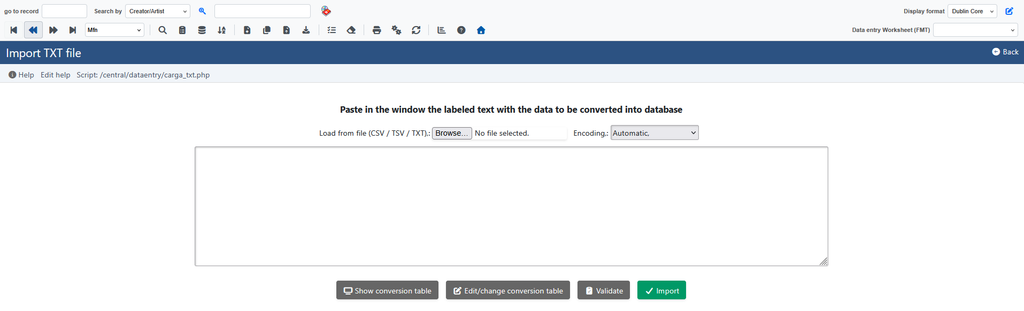
You can also select the text encoding upon upload (avoiding issues with accents and special characters), and the system will notify you if any spreadsheet column lacks a matching field.
Multi-word searches in the REST API
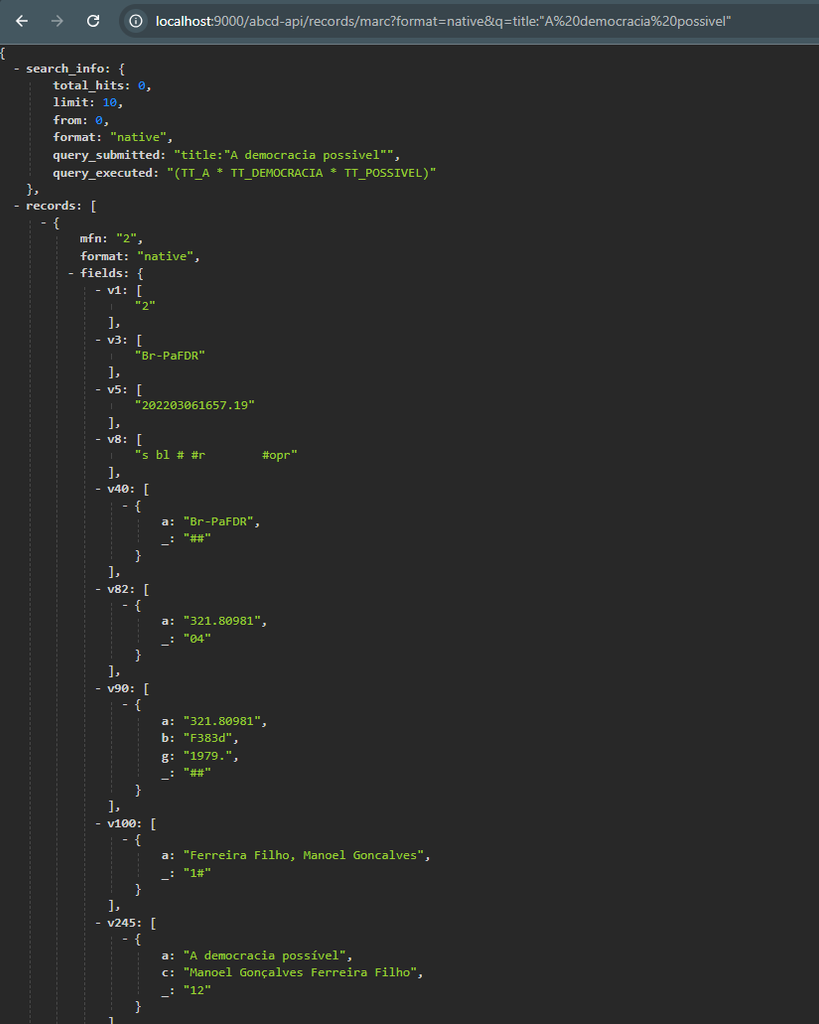
You know when you type multiple words into the search bar hoping to find records containing all those terms? We’ve improved how ABCD-API interprets multi-word searches.
Now, when searching for compound terms, the system automatically applies search prefixes to each word and connects them, ensuring the results bring up the exact combination you’re looking for. And of course, for advanced users who already type operators and prefixes manually, the traditional behavior continues to work as expected.
Error-Proof Plugin Management
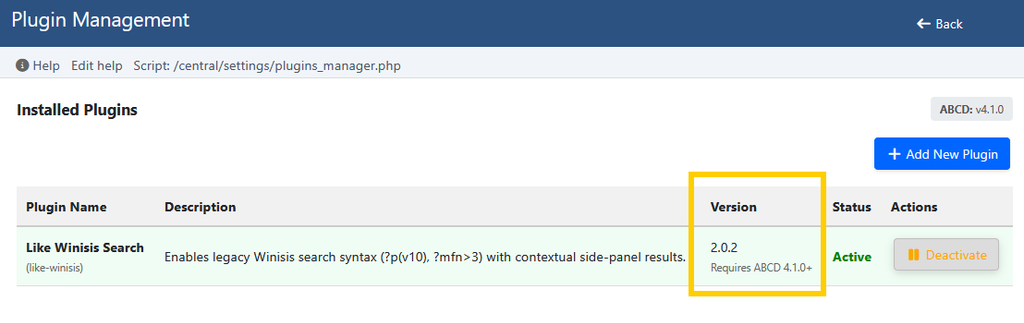
Plugins are great for expanding ABCD’s capabilities, but installing an incompatible extension could cause headaches. Starting with version 4.1.0, the manager automatically checks whether a plugin is compatible with your version of ABCD before installation or activation.
If there’s a conflict, the system displays a clear warning — fully translated — and preemptively blocks activation, keeping your environment secure and working smoothly. In addition, we’ve opened new extension hooks in the data entry toolbar and footer for those developing new features.
More Transparent and Secure Updates
We know that updating a system can feel a bit nerve-wracking, especially when the screen seems to freeze. We’ve done a major overhaul of our Update Manager:
- The updater updates itself: Before downloading a new version of ABCD, the system checks whether the update manager itself needs to be renewed, ensuring the migration happens seamlessly.
- No more “frozen” screens: We improved the progress bar so it reflects the actual installation time, adding a countdown timer for longer processes and clear on-screen warnings while the system clears temporary files. You’ll always know ABCD is hard at work.
- Your settings protected: We reinforced the migration process to ensure your custom settings are preserved from start to finish, with tracking messages translated into Portuguese, English, Spanish, and French.
Heightened Security and Goodbye to “False Positives”
Those who host ABCD on shared Linux environments or use monitoring tools like CloudAV and Imunify360 may have already encountered security alerts blocking legitimate system files.
In version 4.1.0, we rewrote how the API manager saves configurations and validates internal files. This brings two major benefits:
- End of false positives: Hosting antiviruses will no longer confuse normal ABCD operations with a threat.
- Expanded real protection: The system now applies strict validation to allowed file formats inside resource folders, shielding your installation against unauthorized writes.
Small Tweaks That Make a Difference
- Always-aligned layout: Databases with very long names will no longer break the visual layout of the top selection menu.
- Continuous navigation flow: We fixed the screen return after exporting JSON files, ensuring you return right to where you were.
- Better UTF-8 stability: We removed legacy parameters no longer used by modern CISIS binaries, preventing unexpected errors when running scripts in UTF-8 databases.
How to Update?
We recommend updating for all users. You can perform the process directly through the Update Manager inside your ABCD dashboard (always remembering to make a preventive backup of your databases and configurations before starting).
For administrators and developers who want to check technical code details and the complete list of modified files, the full changelog is available in our official GitHub repository.
Update your system and let us know in the comments or community channels what you think of the news!
 ABCD Global