


If you haven’t updated your ABCD yet, are just getting to know the system, or haven’t accessed the new demo version, this post is for you. We’ve prepared a detailed tour of the major innovations in version 4.
ABCD maintains its classic visual identity—with its traditional large buttons and blue top and bottom bars—but its internal structure has undergone a true revolution. ABCD is no longer a monolithic block with rigid modules. While the Circulation and Acquisition modules remain fixed in the core, other features that were part of our history have been extracted and transformed into plugins. Now, the system is modular: your institution installs on-demand only the tools it actually uses, ensuring a lighter, more secure, and easier-to-maintain environment.
The New Top Bar
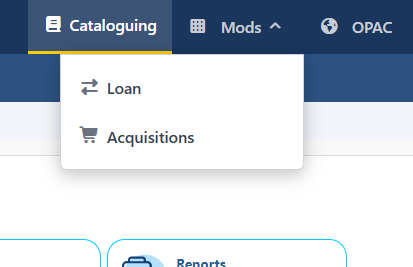
To accommodate this new modular architecture, the interface has undergone smart adjustments. The first notable change is in the top blue bar, which gained a dynamic button called “Mods”. It stacks and organizes all extra modules and plugins as they are installed and activated in the system.
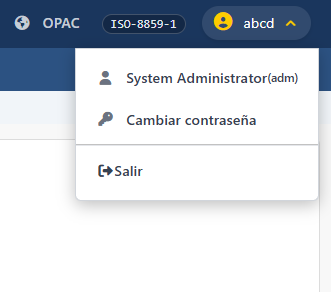
Still on the top bar, the old isolated disconnect button, which used to be in the upper right corner, has given way to a modern, user-focused menu (dropdown). In it, we concentrated the options to “Change Password”—now with a much more secure and native interface—and “Logout”.
Ergonomics and Security in Data Entry
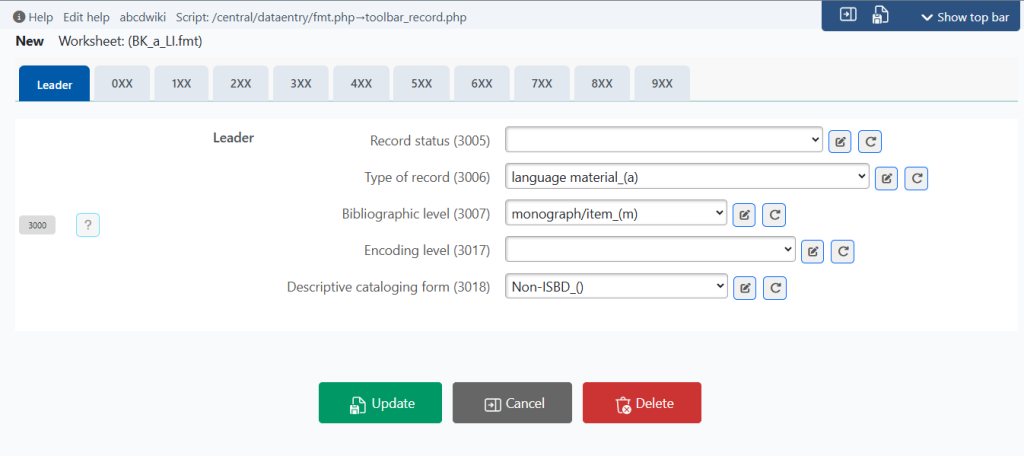
In cataloging, the comfort of the librarian and cataloger was our priority. The TAB type feature in the FDT/FMT configuration, which already existed timidly in the previous version, was expanded and standardized for most current database models. Full-screen tabbed navigation drastically reduces the need for screen scrolling, making the daily workflow much more ergonomic and clean.
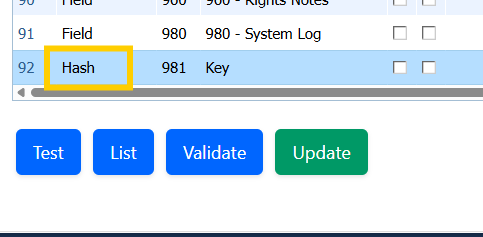
Another major security innovation exclusive to version 4 is the new Hash field type. It is now possible to configure the FDT/FMT of a database to automatically generate a 64-character cryptographic key. This ensures an immutable, secure, and unique identification for your records.
New Services in the Settings Panel
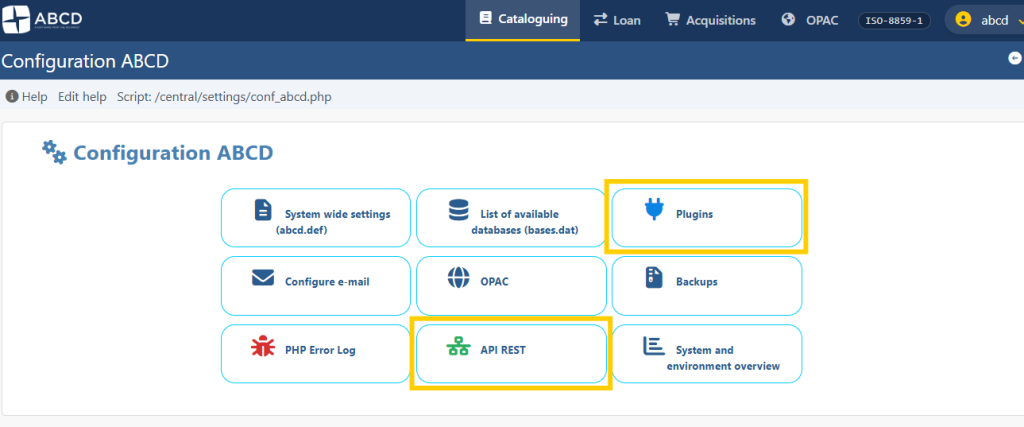
Returning to the ABCD home screen, the Settings section has been expanded and now features essential management and interoperability tools:
- Plugins
- REST API
- Backups (improved from the previous version)
Plugin Manager
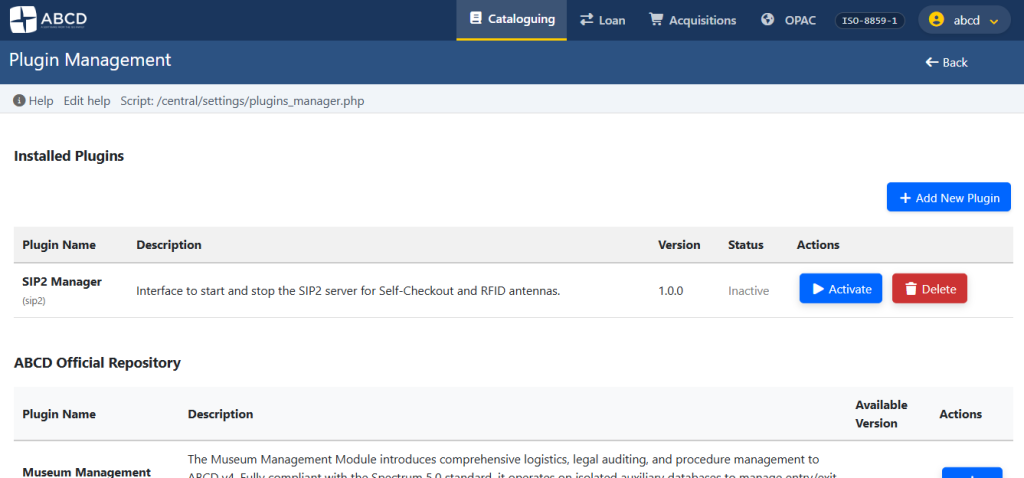
Plugins represent the great evolutionary leap of this version. With them, you can expand ABCD’s services without modifying the platform’s core code. Since ABCD is free software, its plugins are too. Any developer can create new features by following our Module and Plugin Development Manual.
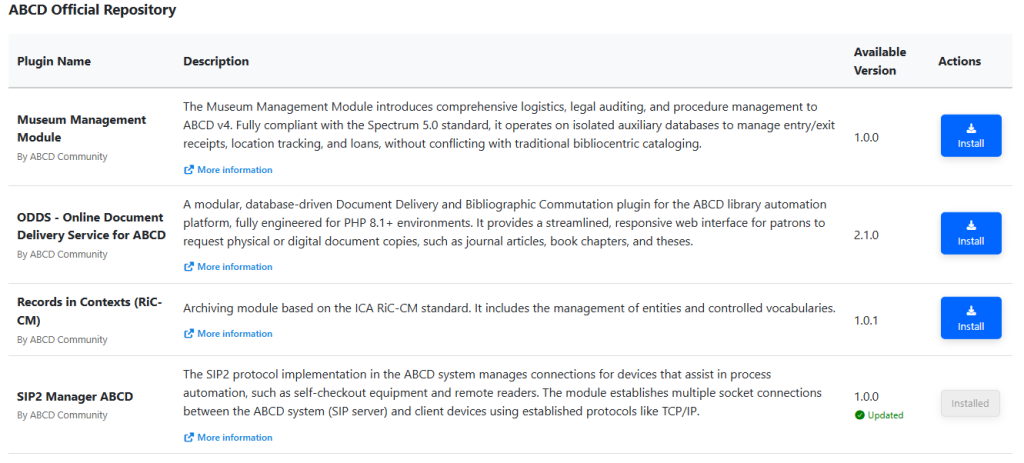
Modules validated by the community are listed in our official repository and can be installed with a single click directly from your control panel. If you prefer, you can also develop your own solution and manually include it in the /content/plugins folder of your server.
At the top of the manager, you can view all already installed plugins and easily activate or deactivate them.
At the bottom, the system displays remote plugins available in the online catalog, ready for download.
REST API
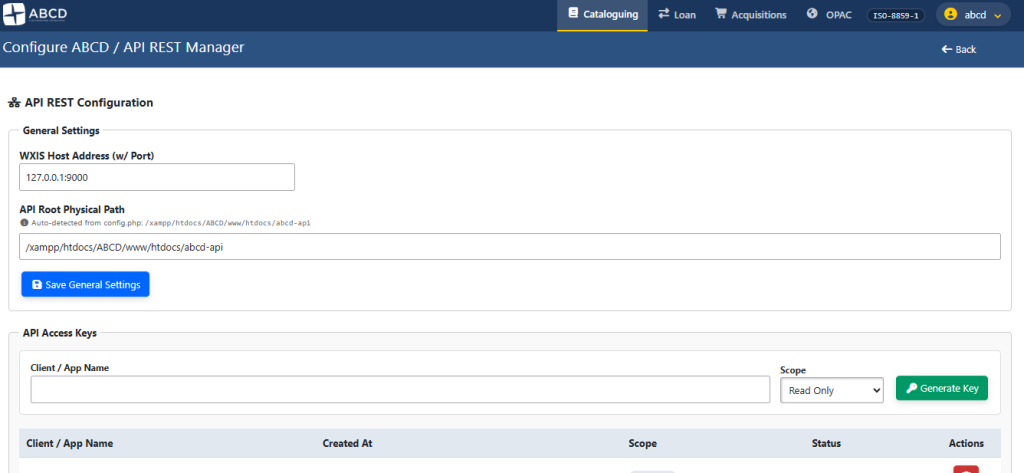
Interoperability is essential nowadays. The new REST API allows your database to be made available and securely consumed by other systems via GET requests (supporting native mapping and Dublin Core). Detailed documentation for technical integration is available at this link: [https://abcd-devcom.github.io/docs/abcd-advanced/api-rest](https://abcd-devcom.github.io/docs/abcd-advanced/api-rest).
Simplified Backups
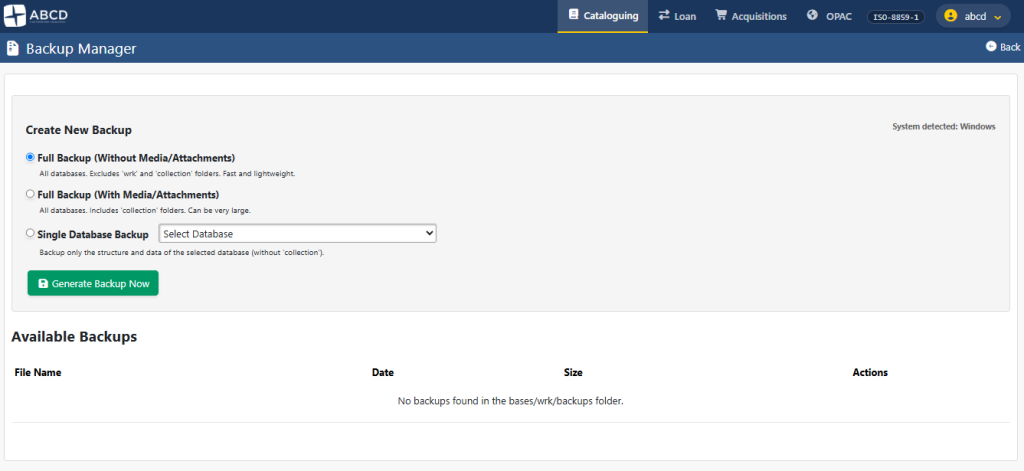
A silent but vital feature for any institution. Now, the manager can compress specific files, entire directories, or complete databases directly through the ABCD graphical interface, without needing to touch the server terminal. For detailed instructions on how this tool works, consult the documentation.
In the video below, we demonstrate the practical workflow of this export process:
Advanced Utilities
The Utilities menu has been enriched with powerful new features to simplify the system administrator’s daily life:
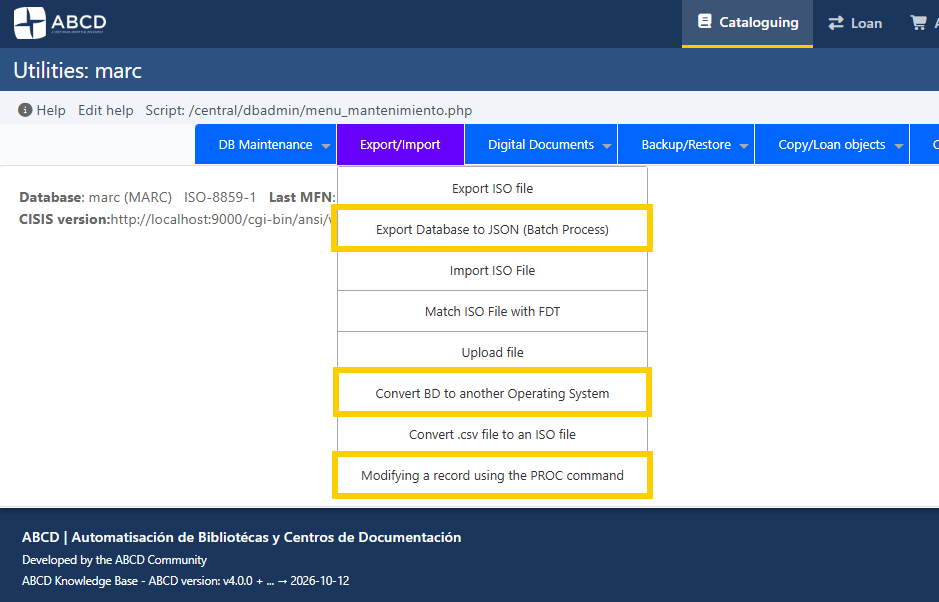
- Export database in JSON;
- Convert a database to another Operating System;
- Batch modification of records using PROC;
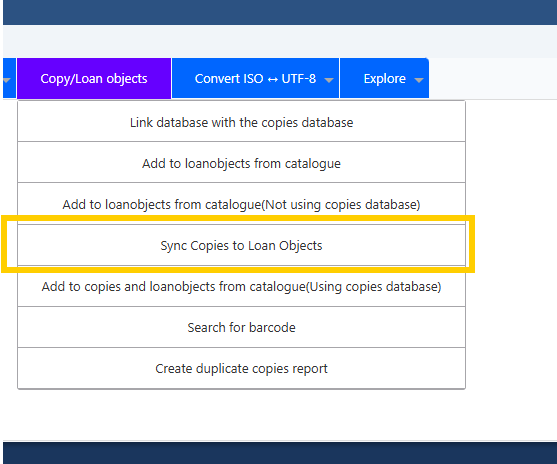
- Smart synchronization of the Loanobjects database with Copies.
Batch Export to JSON
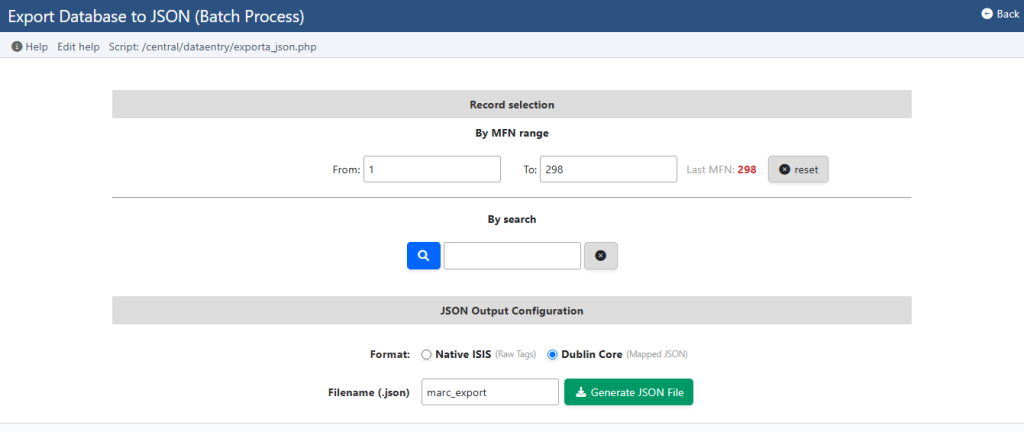
In addition to traditional exports in ISO 2709 and text, version 4 allows extracting parts or the entirety of a database in JSON format—one of the most used formats on the modern web. The export engine uses the native method or mapping in Dublin Core and features a real-time progress bar. The system proved to be extremely resilient, successfully handling databases with over 80,000 records in homologation tests.
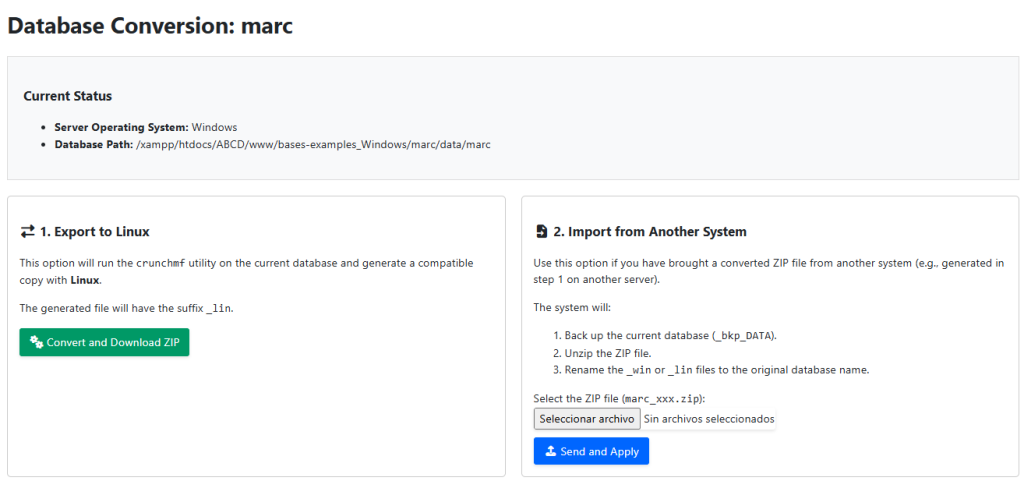
Database Conversion Between Operating Systems
A highly anticipated feature by many managers. It’s very common for ABCD administrators to use a main server based on Linux but need to perform local tests on Windows computers. With the enhancement of the CrunchMF utility, it’s now possible to convert a database’s reading from one Operating System to another with just a few clicks, ensuring full file compatibility in any environment.
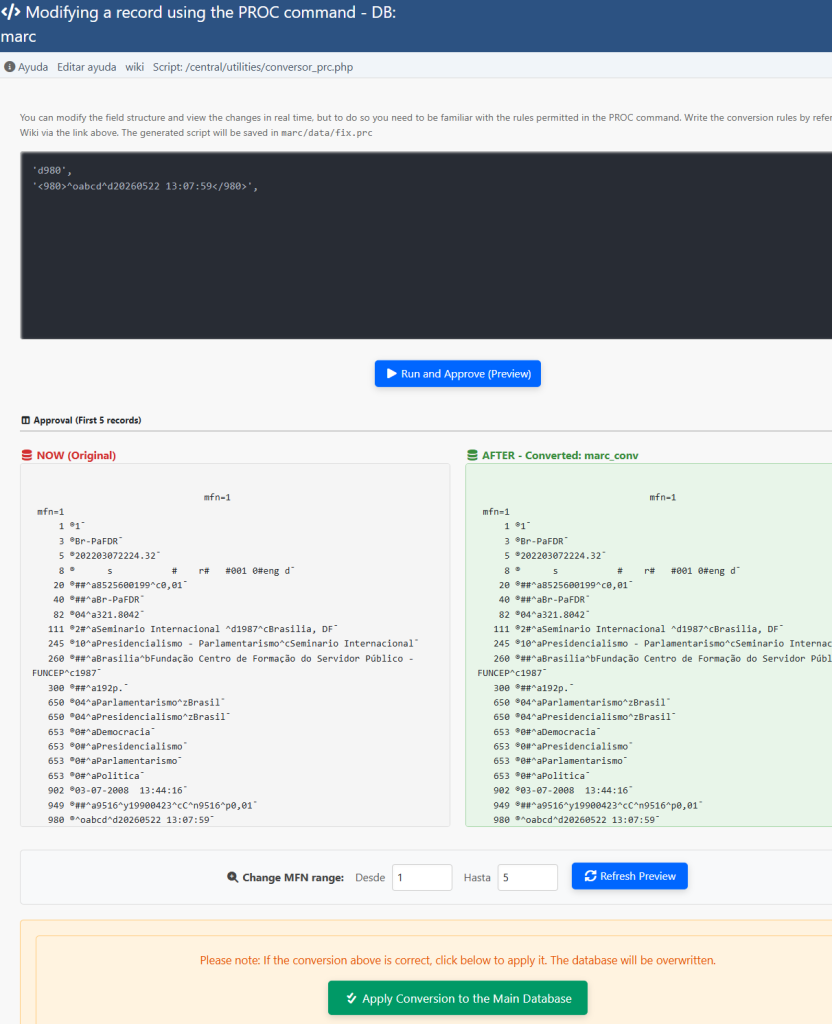
Secure Record Modifications with PROC
This is an impressive tool for batch data maintenance. PROC allows manipulating the database field structure with surgical security. With the help of our detailed documentation, you can alter data, reshape fields, or insert missing information into multiple records at once. The interface displays the original database on the left and a simulation of the result on the right. The process is only consolidated if the administrator executes the final Homologation. If you change your mind midway or identify an error in the syntax, the original database remains entirely intact.
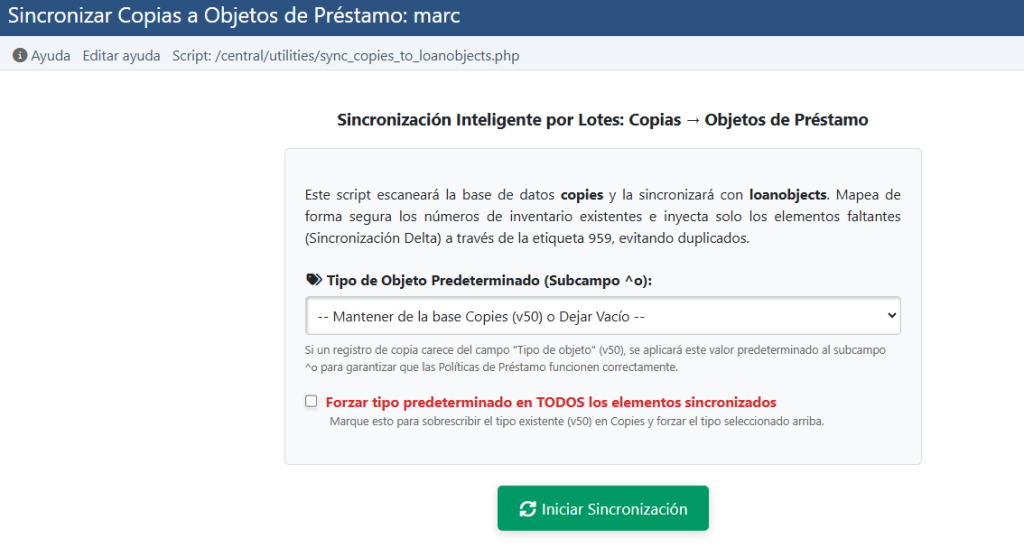
Smart Synchronization: Copies x Loanobjects
It’s very common that during intense cataloging, the librarian forgets to send some copies to the Loans database. This new utility solves the problem with a single click. The system scans and cross-references data, automatically updating the Loans (Loanobjects) database only with pending items. Already sent records are automatically ignored to prevent duplicates unless you choose to force a total synchronization.
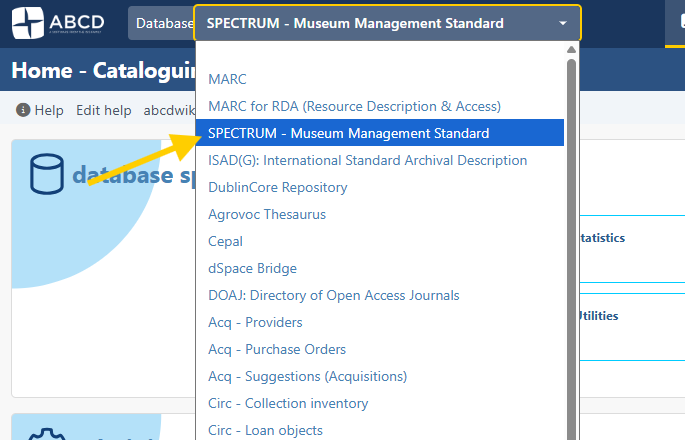
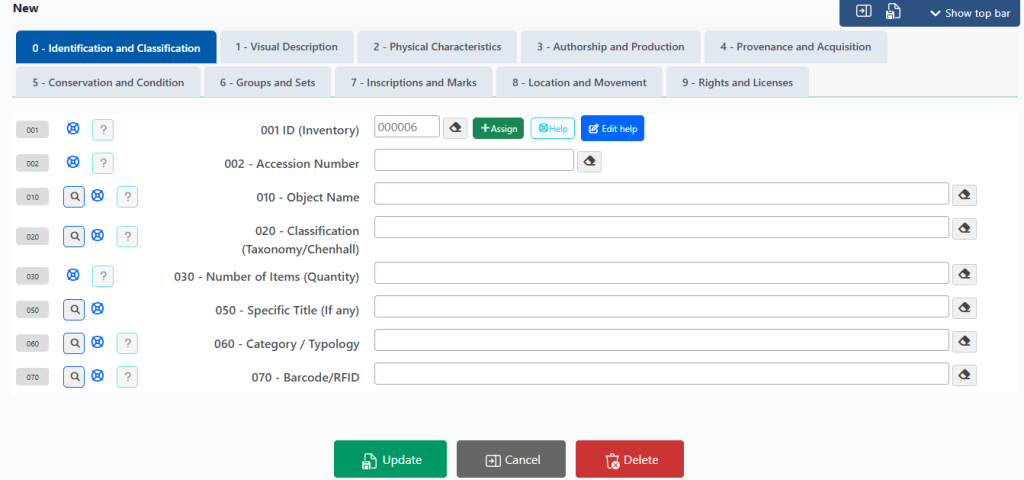
Museum Management: The Spectrum Standard
ABCD expands its reach to memory institutions with the introduction of a model aimed at Museums: the Spectrum 5.1 standard.
The current standardization of the ABCD-Spectrum database is based on two fundamental pillars: the international Spectrum standard—the UK Museum Collections Management Standard (Collections Trust), widely recognized and adopted by museum institutions in several countries—and the CHCM Museum Cataloging Manual, an internal document that consolidates the technical practice developed and refined over the years at the Centro Histórico e Cultural Mackenzie (CHCM).
Spectrum 5.1, published in September 2022, proposes rethinking collections documentation, making cataloging more accessible, clear, and effective. Having served as a successful methodological basis for managing collections at CHCM, this database was homologated, translated, and is now shared natively with the entire ABCD user community.


Refinements in the Public Catalog (OPAC)
In OPAC, we made surgical improvements to optimize the experience of those searching. The layout is a bit more compact, with the search form elegantly hidden until activated by the user. We fixed minor old conflicts in the combination of search terms and implemented a highly requested feature: the button for immediate copying of the current search syntax.
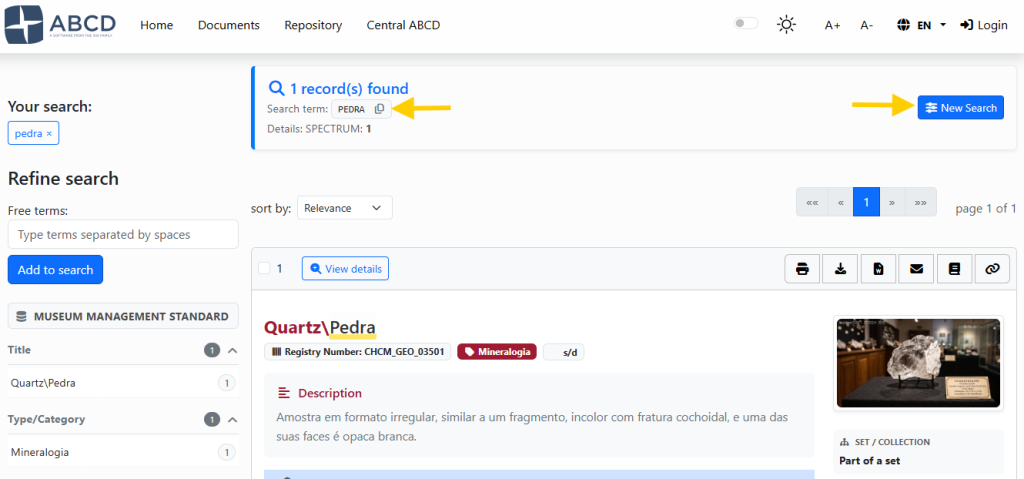
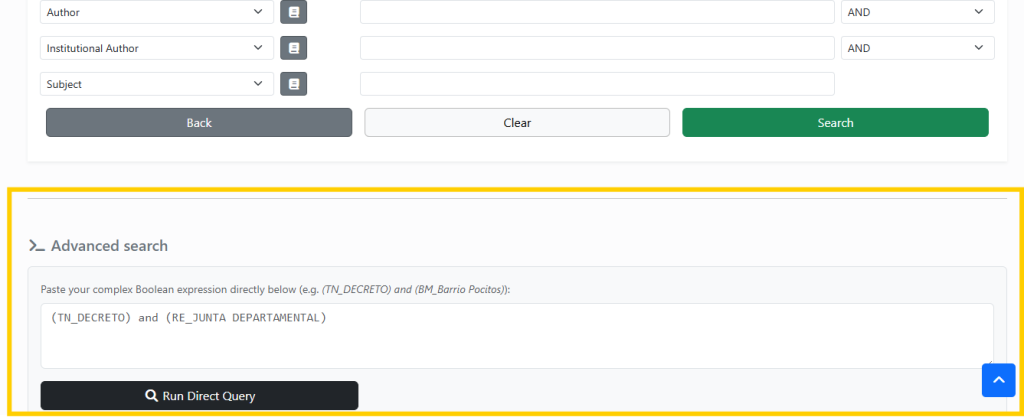
This syntax copy makes perfect sense when combined with the new form: the Expert Search. Right below the Detailed Search, we provided a direct boolean interface aimed at more experienced researchers (the famous “Heavy Users”). In it, precise combinations can be made using field prefixes. Although it requires familiarity with the database documentation, it’s an extremely useful feature, as it allows the user to save these complex search strings on their computer and repeat them with just a “Copy and Paste”.
ABCD 4 is, in fact, a conceptual and technological evolution that breaks with the traditional architecture of the system, projecting the software to the needs of the next decade. However, we would not have reached this level of maturity without the constant support of great references in our sector. We express our deep gratitude to Ernesto Spinak (Uruguay), Jesus E. Jurado (Venezuela), Alberto Alejandro Rosenberg (Argentina), Eustache Mêgnigbêto (Benin), and Jacinto Moura (Portugal).
Today, the continuous evolution of ABCD’s programming is led by Fred Hommersom (Netherlands) and Roger Craveiro Guilherme (Brazil). The entire official server infrastructure of the project is sponsored and maintained by ABCD Brasil.
 ABCD Global